Modular construction software for the whole module lifecycle
Sell, design control, build, certify and ship, get paid, supply. Six areas on one database, built around how volumetric modular plants actually run. Every screenshot below is the shipped product on demo data.
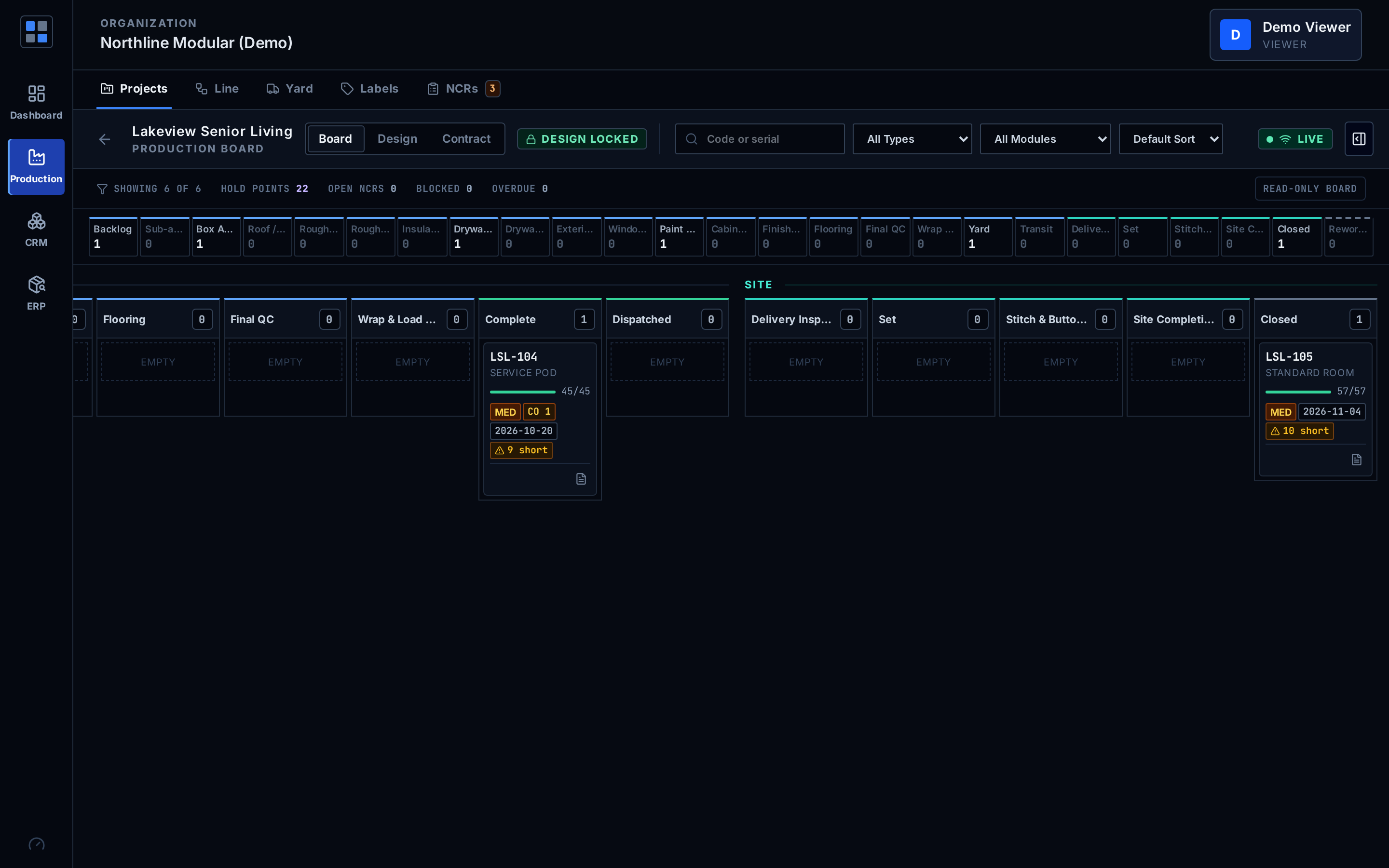
How does a modular deal move from inquiry to project?
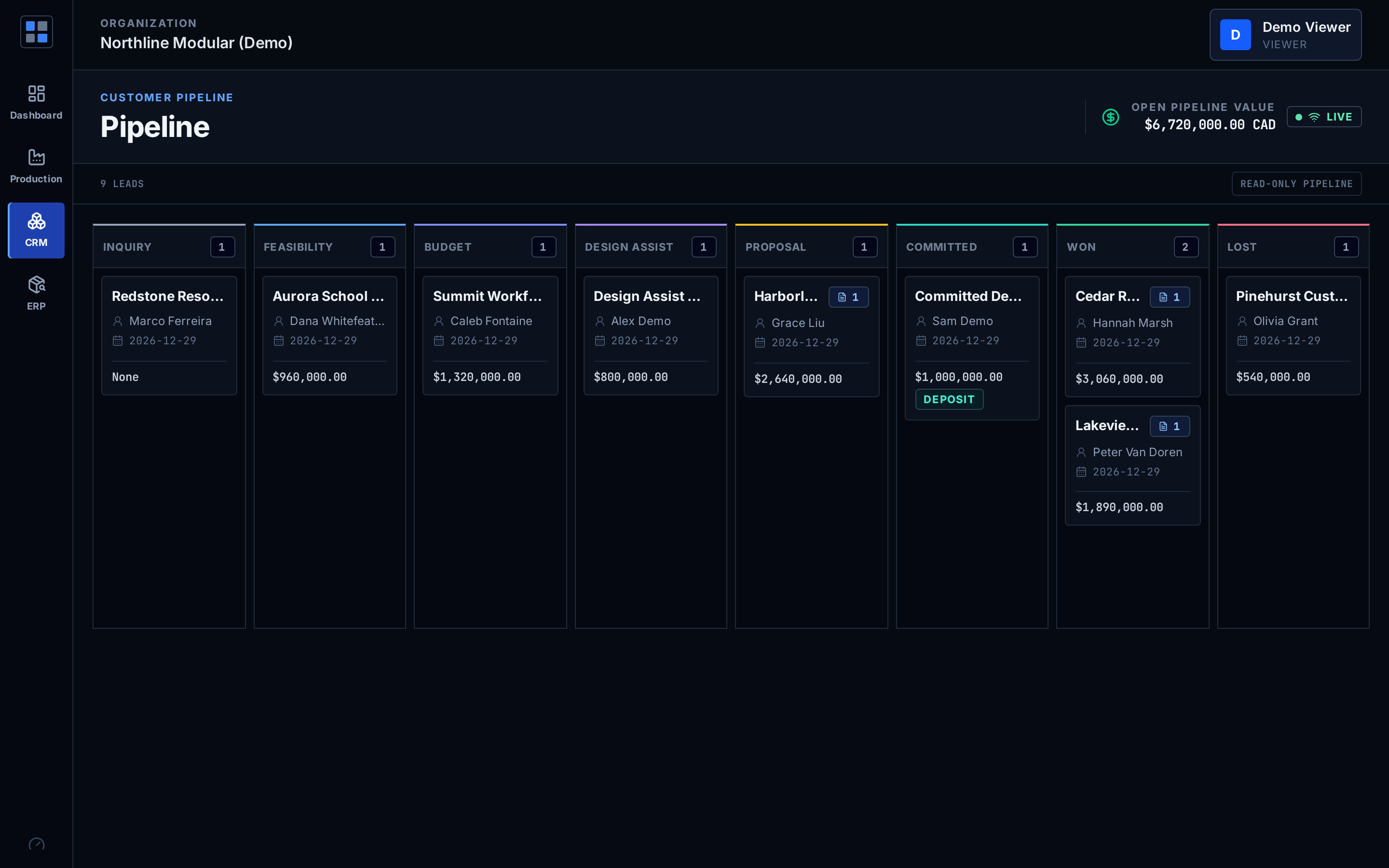
Through eight stages built for how modular is sold, then a quote that separates what the factory builds from what happens on the road and on site.
- Eight stages: Inquiry, Feasibility, Budget, Design assist, Proposal, Committed, Won, Lost
- Committed requires a recorded deposit or an explicit waiver, which is logged
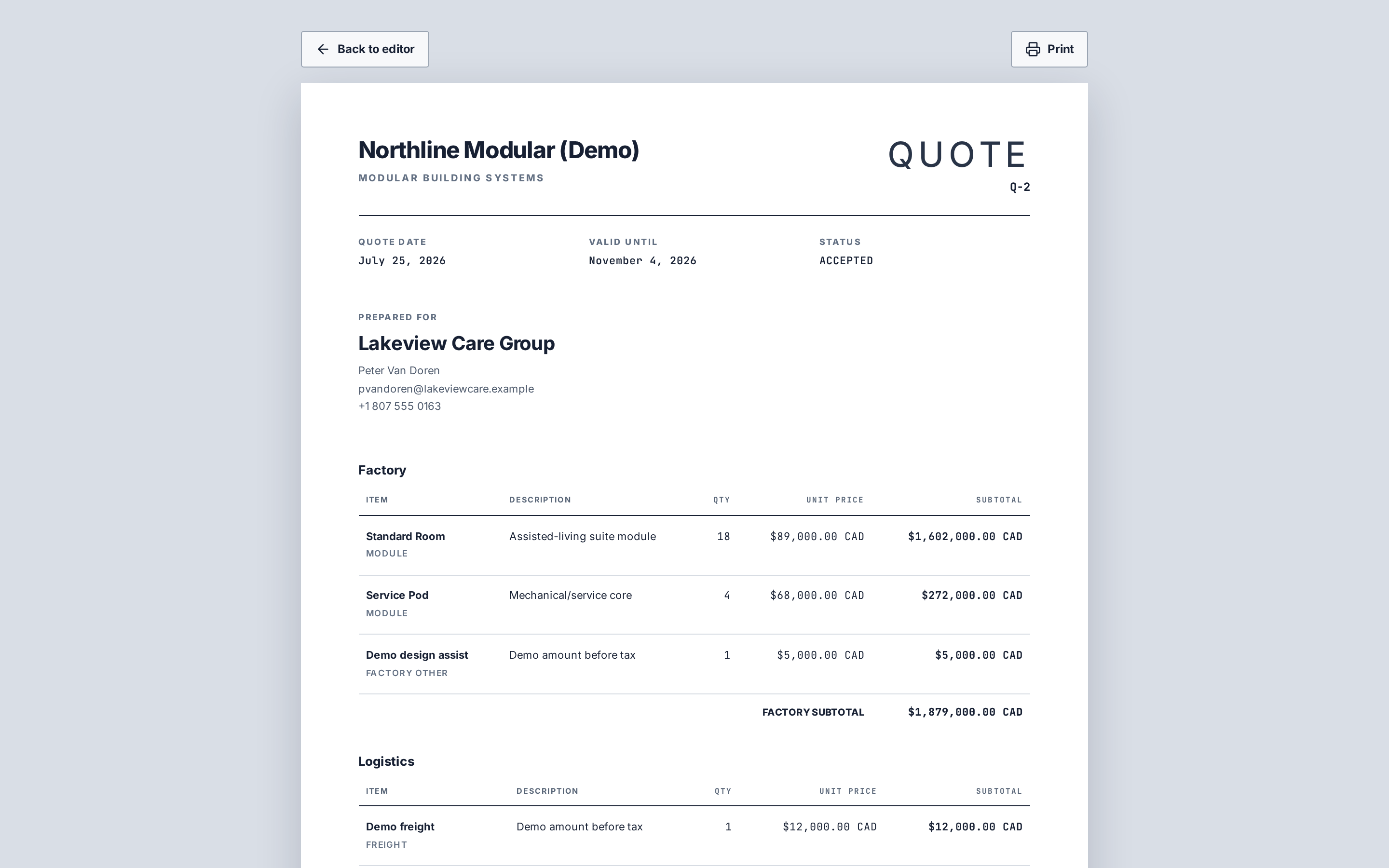
- Quotes split into Factory, Logistics (freight, crane, set) and Site scope with subtotals, exclusions and scope notes
- Printable quote; amounts are before tax
- Converting an accepted quote creates the project with its modules, contract value and a payment schedule
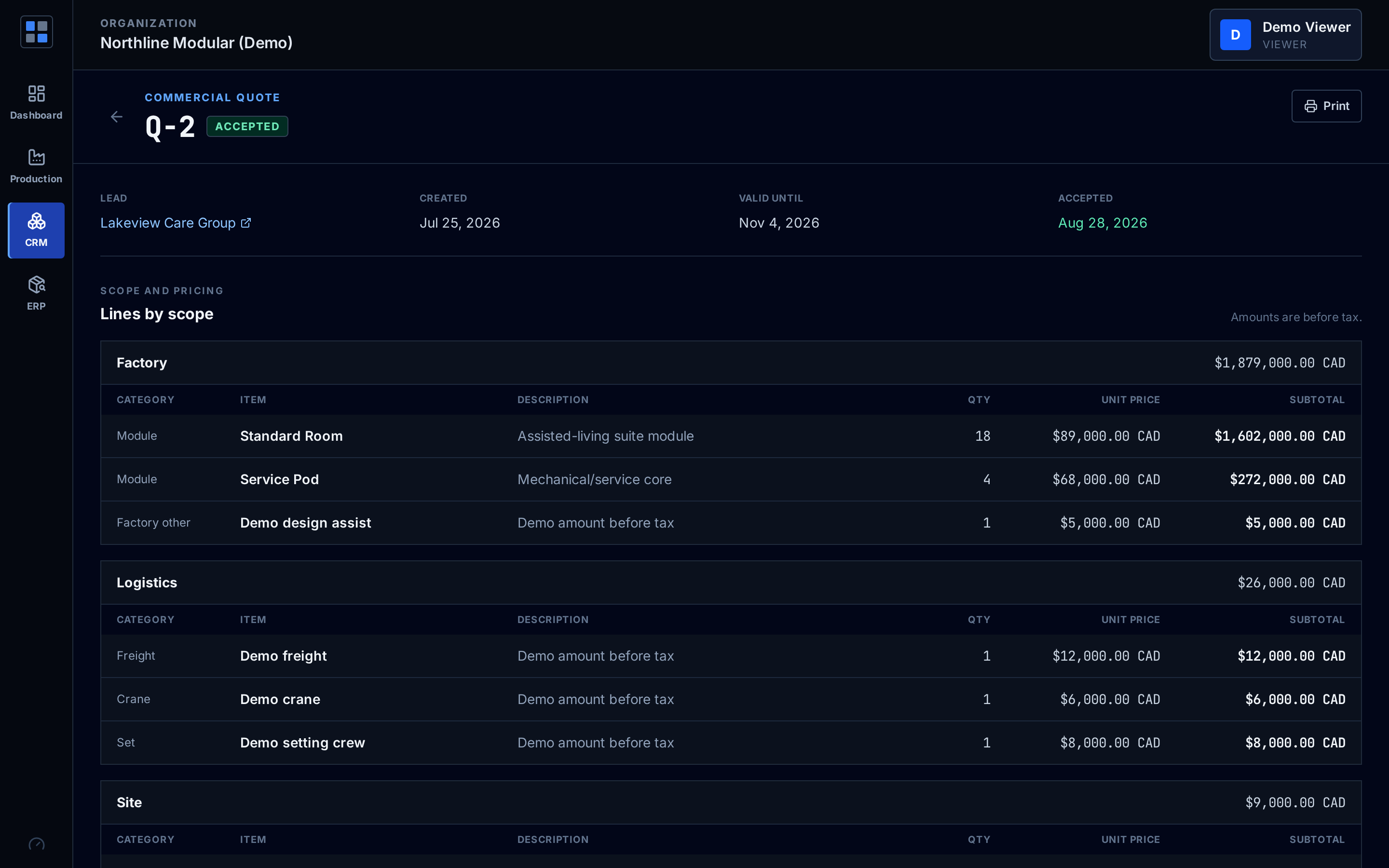
What stops a module from being built from the wrong drawings?
A design lock. Modules cannot be released to the line until the project design is locked, and a lock needs at least one approved drawing.
- Drawing revision register with file upload, send for approval and approver name
- Superseded revisions kept as history
- After lock, a new revision can only be approved when it is linked to an approved change order
- Change orders carry amount, schedule impact in days and the affected modules
- Plan approval and building permit records side by side
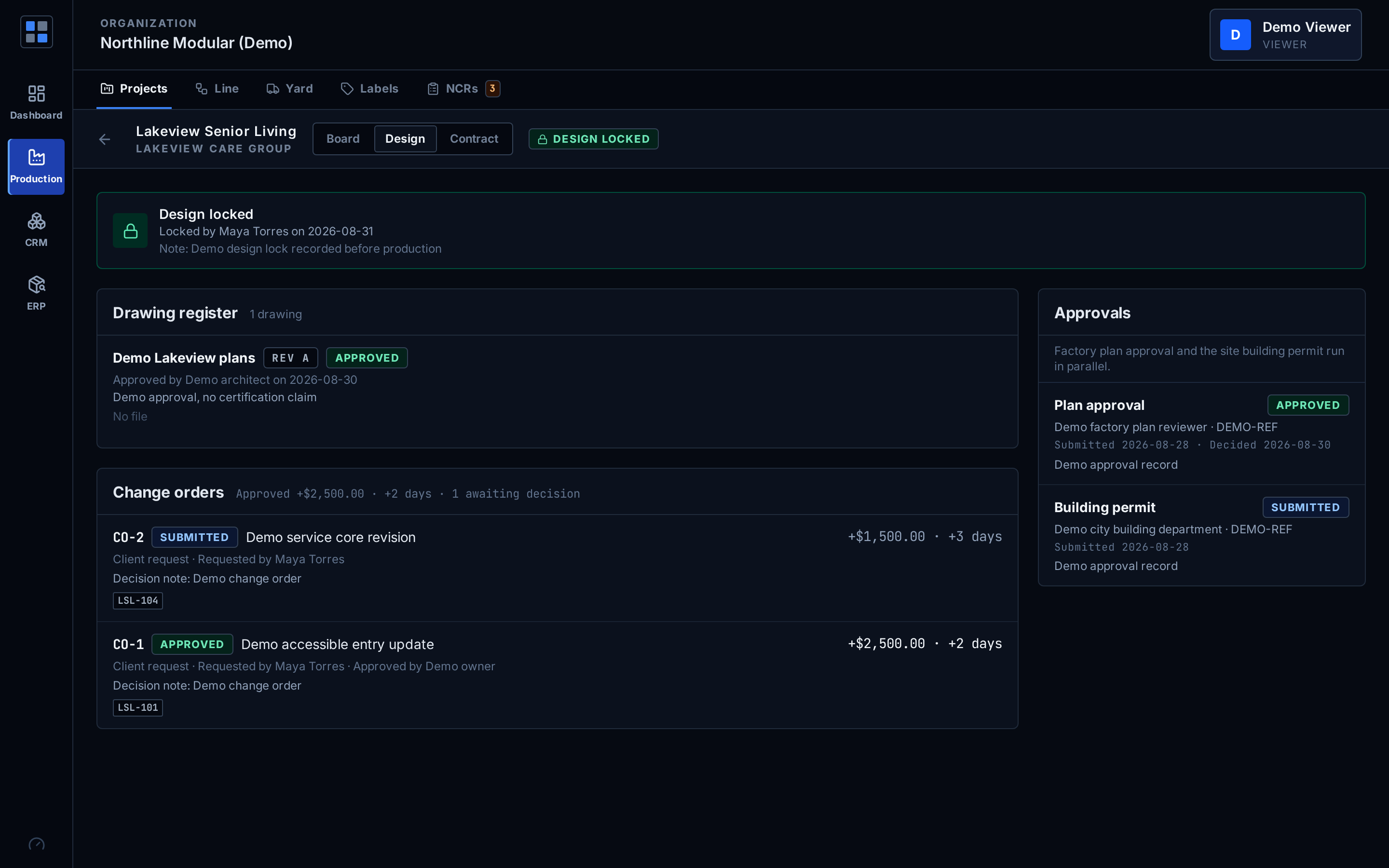
How does each module move through the factory?
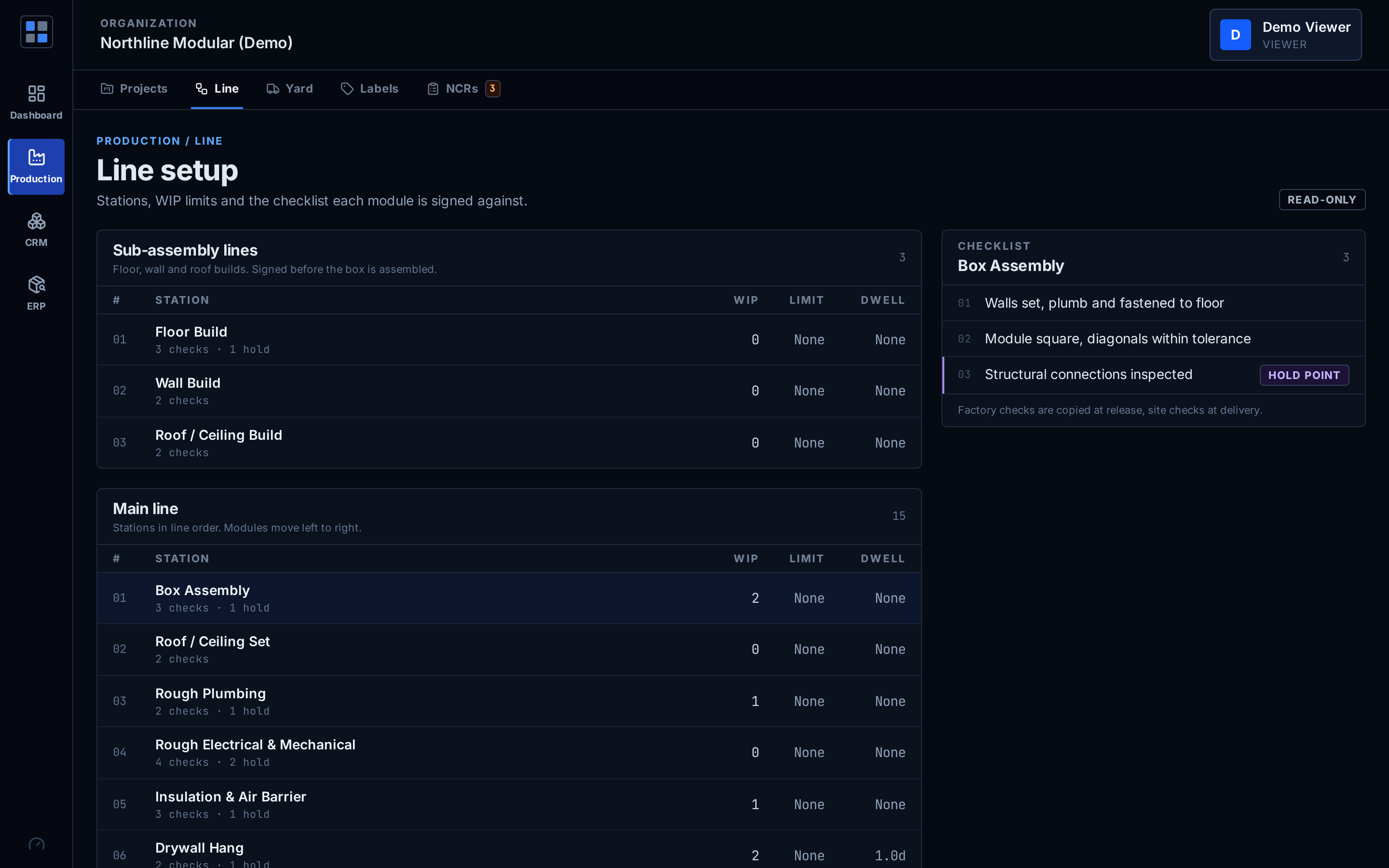
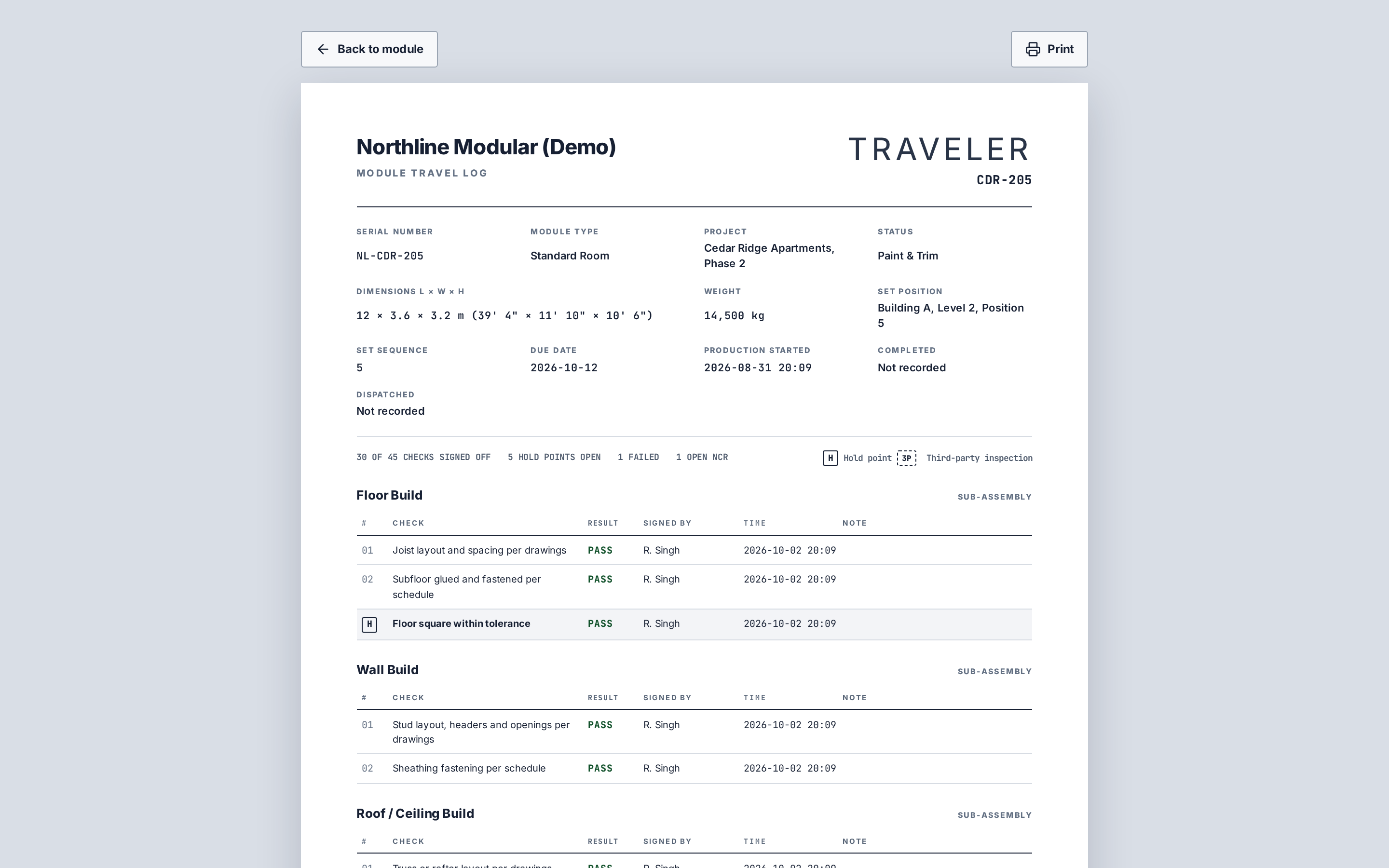
On configurable stations with a traveler per module. Every check is signed with who and when, and hold points stop a module until they pass.
- Main line, sub-assembly feeders and off-line bays; default wood-frame template of 15 main stations plus feeders
- Traveler snapshot per module with per-item sign-off; printable travel log
- Hold points block forward moves with no override; other open work can travel with an acknowledgement
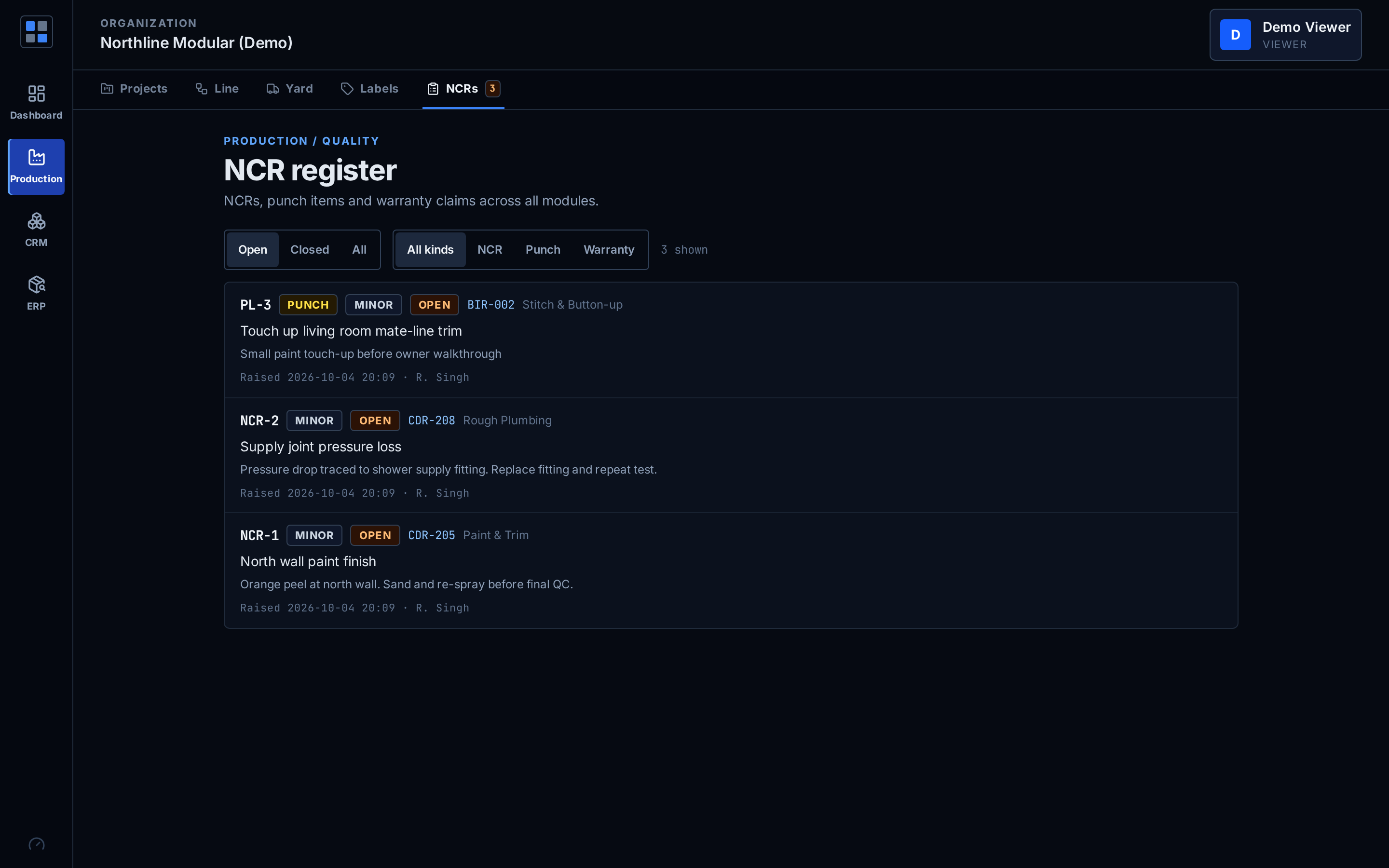
- NCRs with disposition, blockers, WIP limits, work logs and a QC inspector role
- Module attributes: serial, dimensions, weight, building position and set sequence
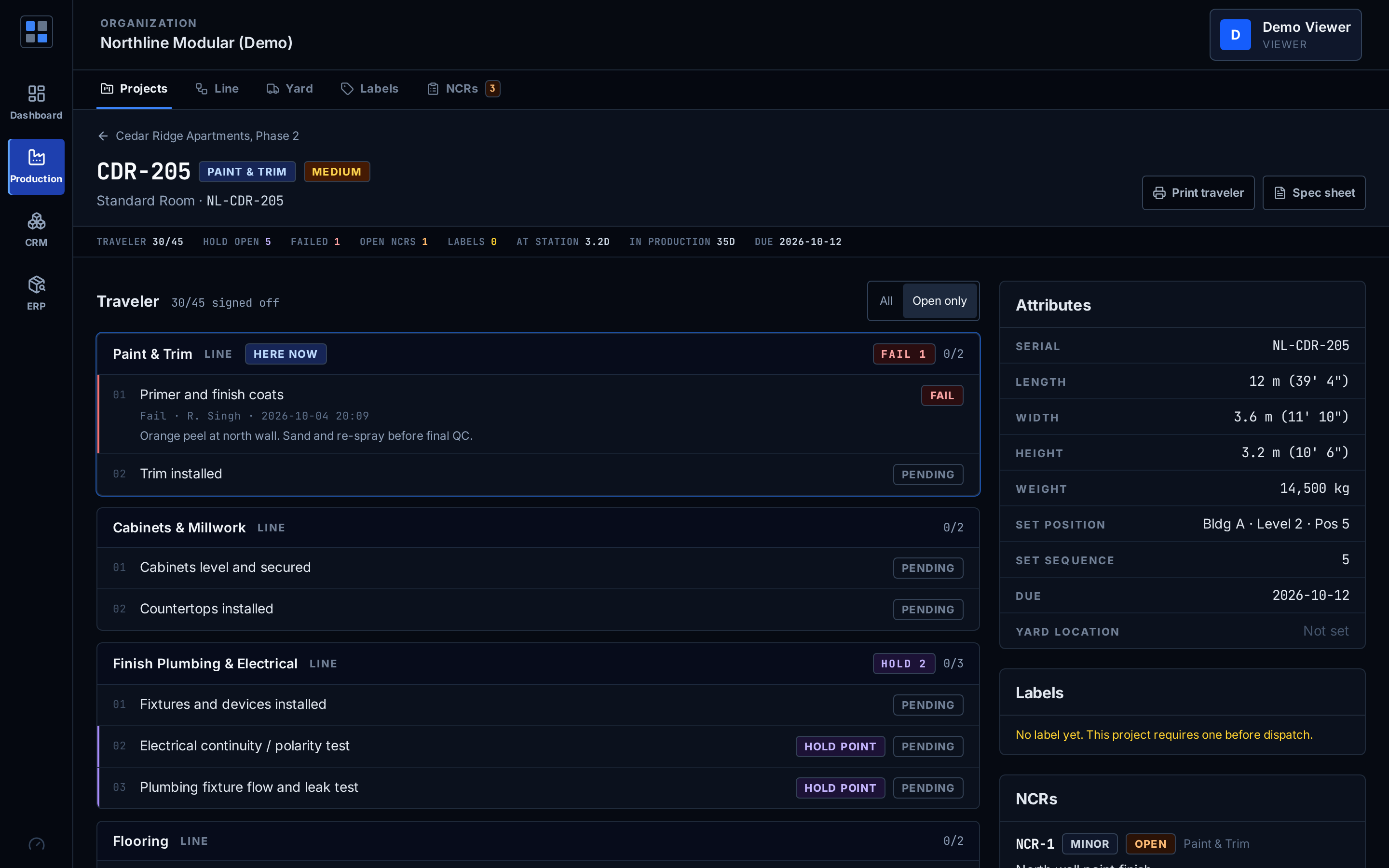
What records does a certified module need before it leaves?
Modular OS keeps the records the certification workflow asks for and the logistics that follow. It does not certify anything itself.
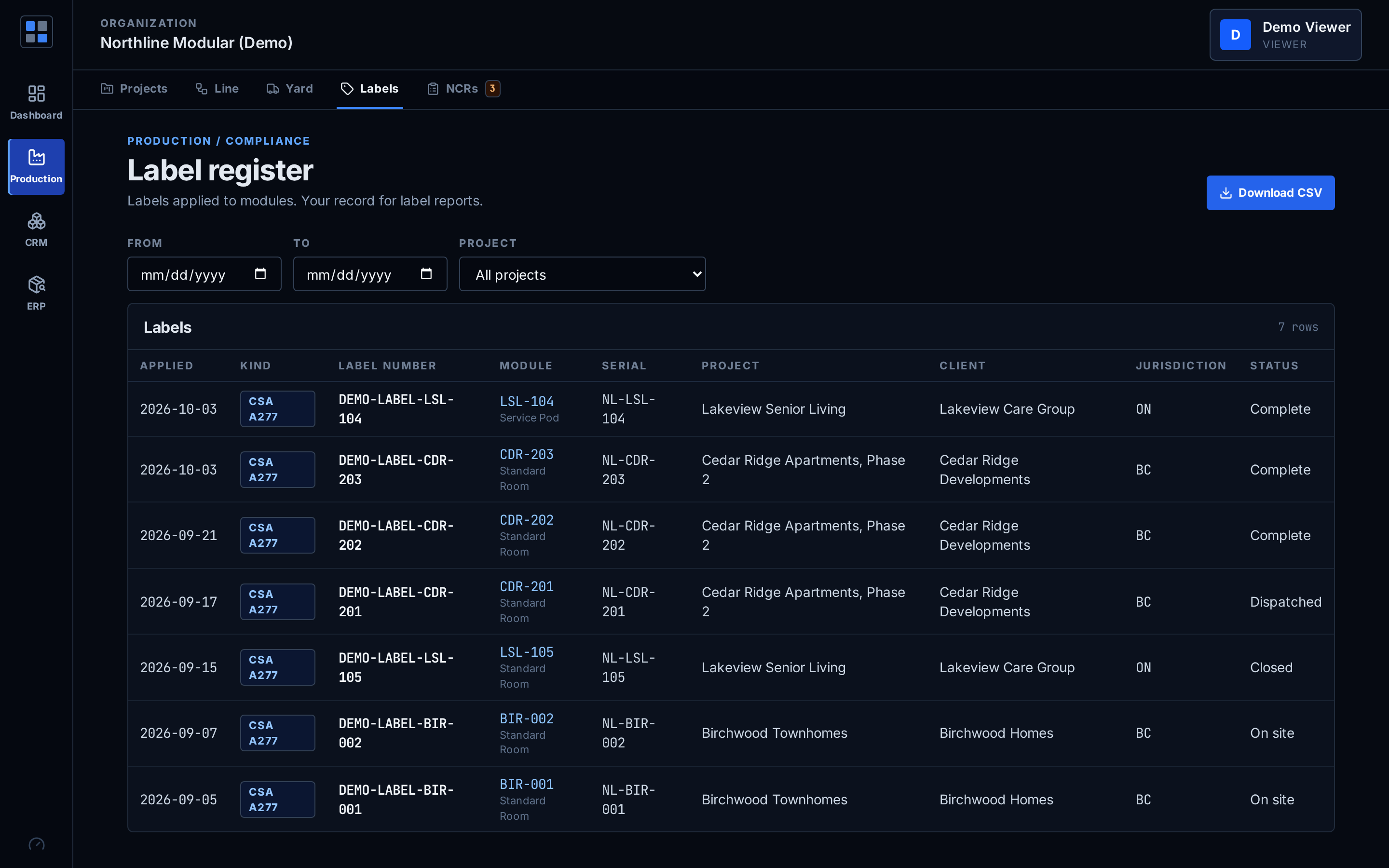
- Label register for CSA A277, CSA Z240, state insignia and other labels, with CSV export
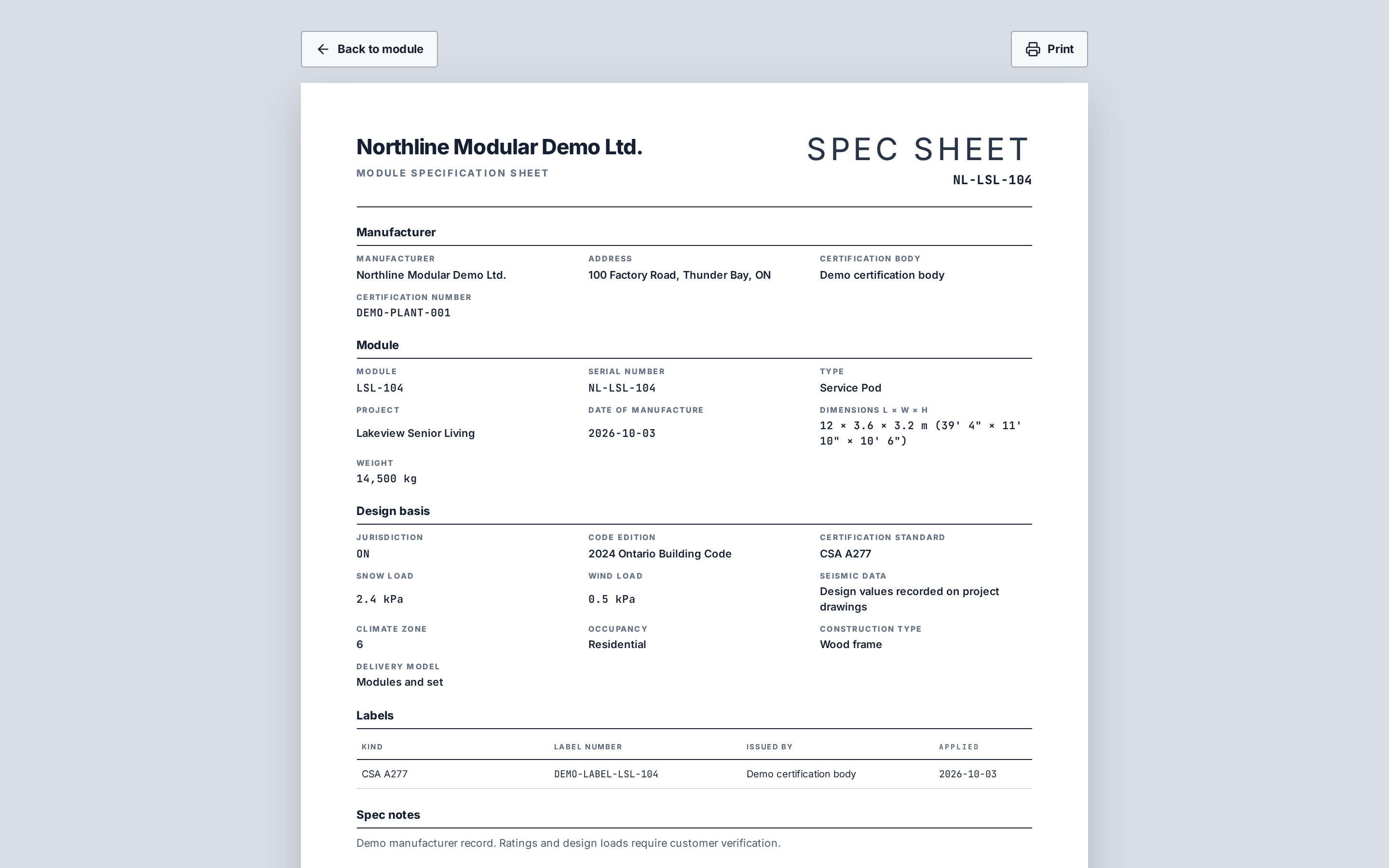
- Printable spec sheet: manufacturer, serial, labels, jurisdiction, code edition, design loads, climate zone, occupancy, construction type, dimensions
- Third-party check items signable by an external inspector account that is otherwise read-only
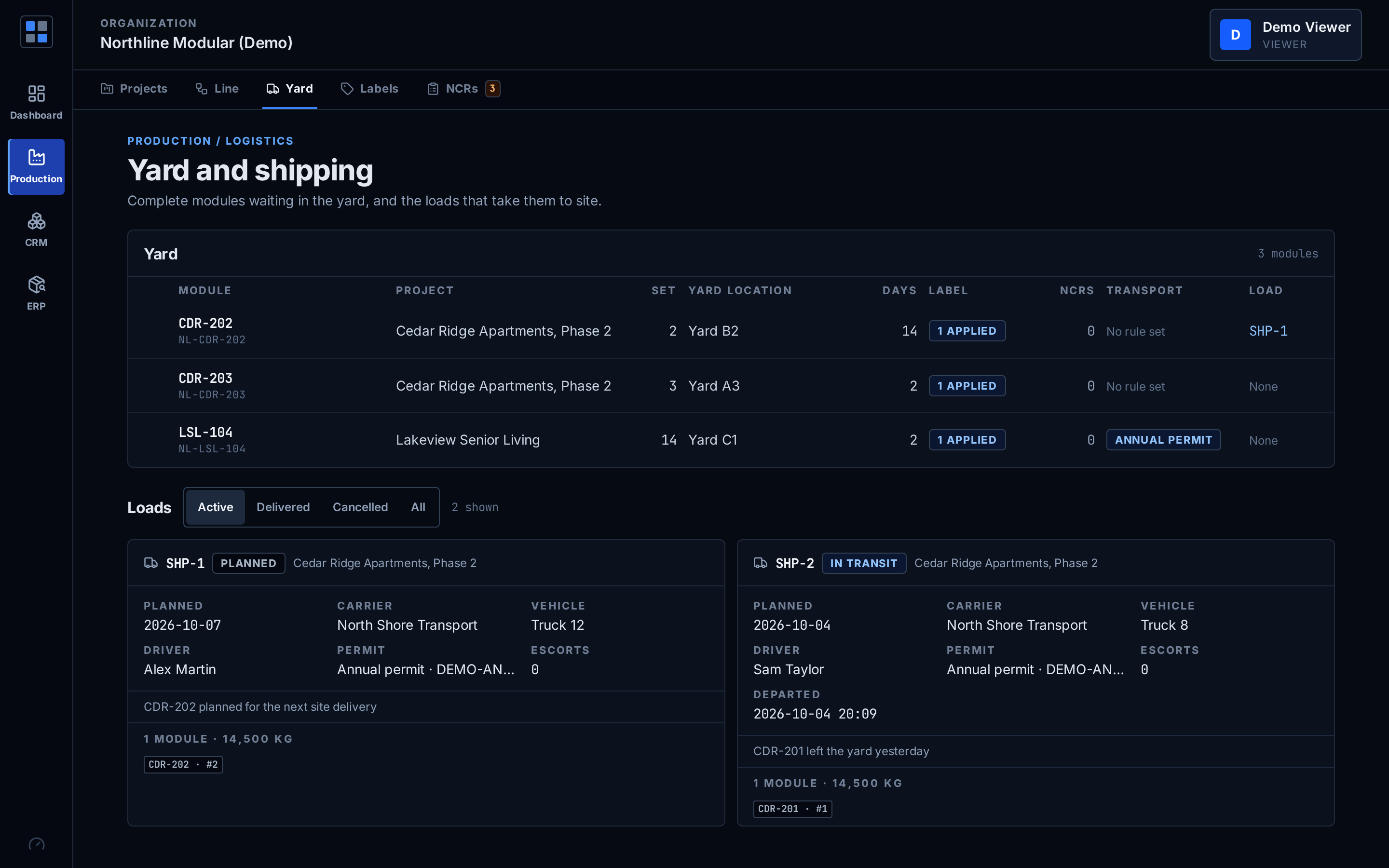
- Yard locations; shipments with carrier, permit type and escorts; depart and deliver as one step for the whole load
- Site stages (Delivery inspection, Set, Stitch and button-up, Site completion) with responsible party, punch items and warranty dates fixed at close
The oversize-permit hint is advisory and covers Ontario only.
When is a milestone ready to invoice?
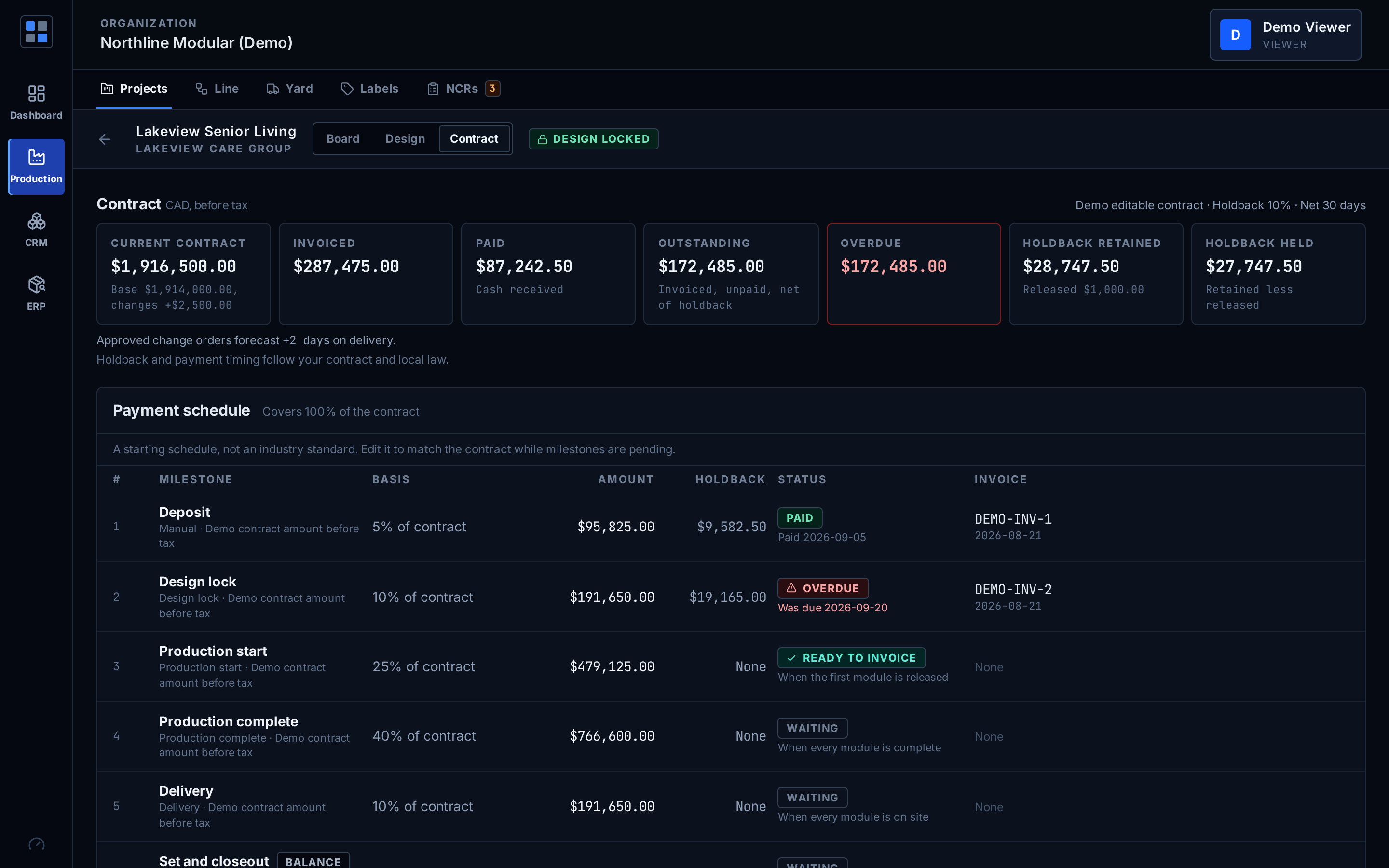
When the production event it is tied to has happened. The schedule reads design lock, production start, production complete, delivery, set and closeout from the module records.
- Payment milestones as a percent or a fixed amount, with a derived ready-to-invoice marker
- Invoicing with holdback, holdback releases, outstanding and overdue
- Current contract is the base contract plus approved change orders
- A balancing final milestone keeps the schedule summing to the contract
The default schedule is our starting point, not an industry standard. Holdback and payment timing follow your contract and local law. No tax calculation.
How do materials stay ahead of the line?
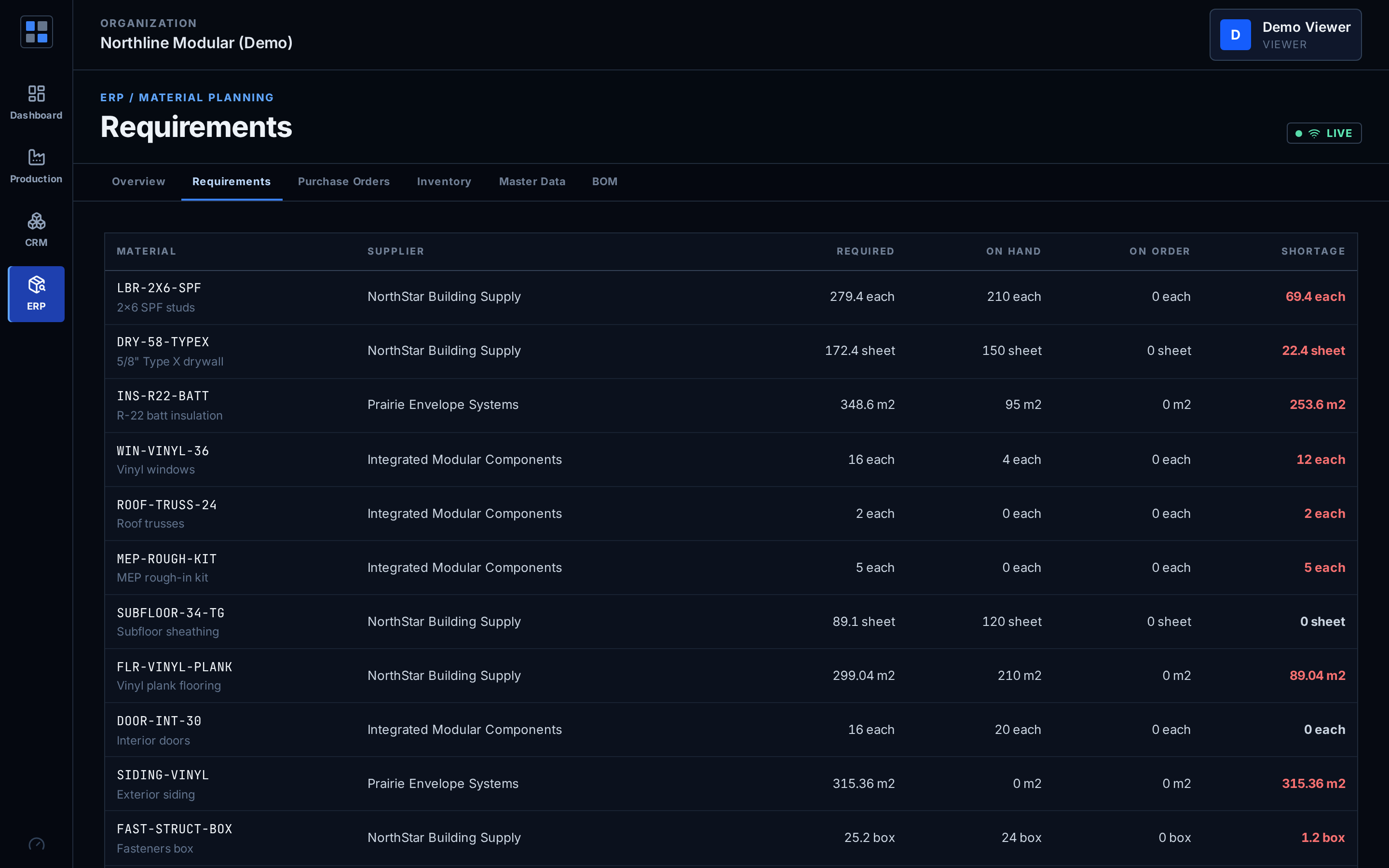
Bills of material per module type turn the modules on the board into material demand, compared against stock.
- BOM per module type and MRP demand from the board
- Purchase orders with partial receipts
- Lot-tracked, multi-location inventory
- Material issue to a module with cost
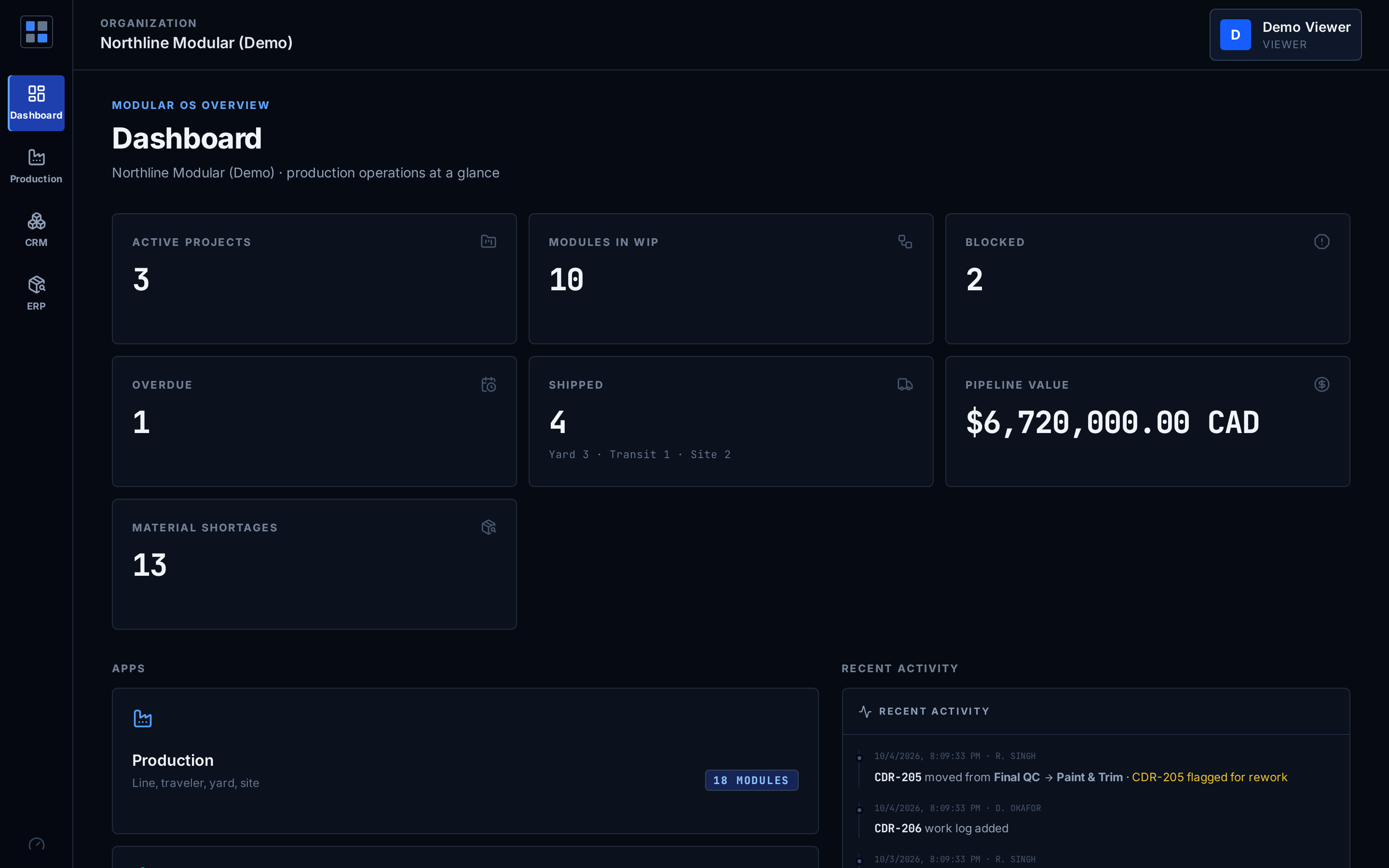
Screens from the demo workspace
Who can do what?
- Five roles: admin, operator, QC inspector, third-party inspector and a read-only viewer
- The third-party inspector sees no CRM and no amounts; the viewer can read everything and change nothing
- Realtime updates over WebSocket: office, floor and site see the same board
- One database for every area, so each handoff reads the same records
- Web app: office machines, shop-floor terminals and phones
Judge it on the real thing.
The live demo is the shipped product on demo data. Not a video, not a deck.